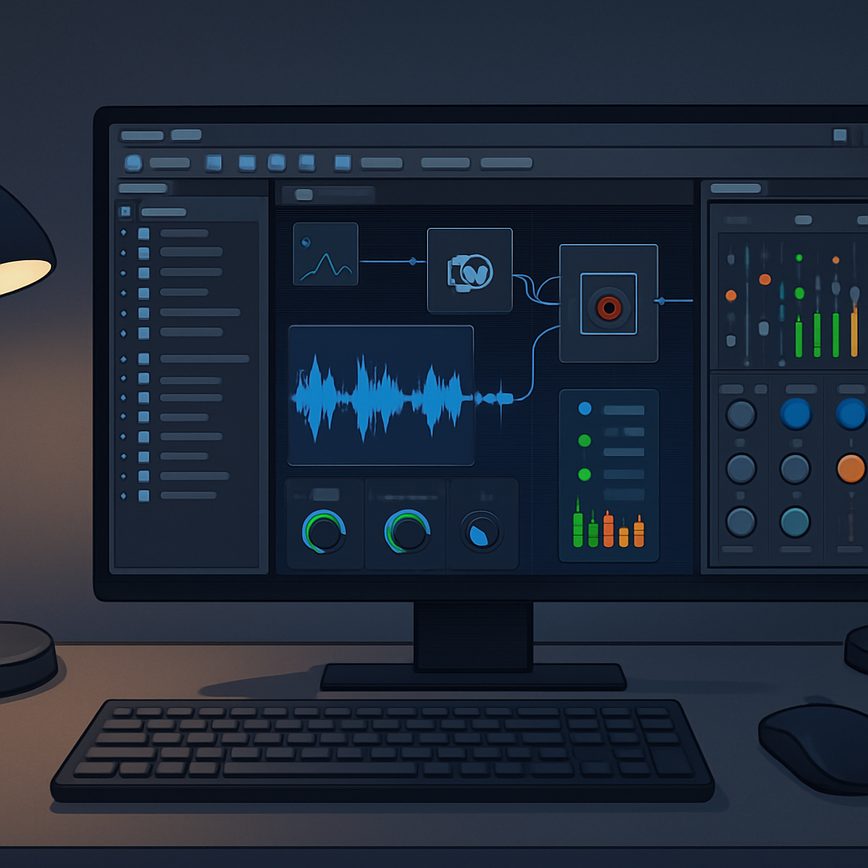
Introduction to Audio Implementation in Unreal Engine
Audio plays a crucial role in game development by significantly enhancing the player’s immersive experience and emotional engagement. In video games, sound is not merely an aesthetic addition but a core element that provides critical feedback, sets the tone, and enriches storytelling. Effective Unreal Engine audio implementation allows developers to create dynamic soundscapes that respond to gameplay, environment, and character actions, elevating the overall quality of the game.
Unreal Engine offers a comprehensive suite of audio implementation features that cater to both beginners and experienced sound designers. With its state-of-the-art sound integration tools, developers can easily manage sound assets, apply spatial audio effects, and fine-tune audio behaviors to fit specific game mechanics. The engine supports a variety of audio formats and includes systems for real-time mixing, attenuation, and occlusion, ensuring sounds behave naturally according to the player’s position and surroundings.
One of the key strengths of Unreal Engine audio is the ability to create interactive and adaptive sound environments. Developers can use Blueprints and C++ to script audio responses that change dynamically based on gameplay events. This flexibility is essential for crafting engaging game audio that reacts to player choices and enhances immersion. Furthermore, Unreal Engine’s integration with popular audio middleware like Wwise and FMOD expands possibilities for advanced audio design and implementation.
Understanding game audio basics is fundamental for leveraging Unreal Engine’s capabilities effectively. This includes knowledge about 3D audio positioning, looping sounds, environmental effects, and managing audio channels. Utilizing these tools and techniques, game developers can create rich auditory experiences that complement visual elements and gameplay mechanics seamlessly. Unreal Engine audio thus stands as a powerful component in modern game development, enabling the creation of captivating and professional-grade soundscapes.
Overview of Unreal Engine Audio Tools
Unreal Engine offers a robust set of audio tools that enable developers to create immersive soundscapes and interactive audio experiences. Among the key tools are sound cues, audio components, and audio mixers, each playing a vital role in managing and manipulating sound within a game environment.
Sound cues are a fundamental Unreal audio tool designed to allow intricate control over how sounds are played and combined. They enable the creation of complex audio behaviors by linking various sound assets and applying effects or conditional logic. This flexibility makes sound cues ideal for dynamic and adaptive audio scenarios.
Audio components serve as the in-game representation of sound sources. They are attached to actors within the game world and are responsible for emitting sound based on the properties defined in the sound cue or sound wave they reference. These components facilitate spatialization, attenuation, and real-time audio adjustments, crucial for realistic sound positioning and behavior.
The audio mixer in Unreal Engine acts as the central hub for processing and blending sounds. It allows developers to group audio components, control volume levels, apply effects, and manage audio buses efficiently. With mixers, managing complex audio hierarchies becomes straightforward, enabling seamless transitions and layered sound design.
Together, these Unreal audio tools provide comprehensive control over the auditory experience, supporting both creative sound design and technical audio implementation within the Unreal Engine ecosystem.
Basic Sound Integration Workflow
Integrating sound into Unreal projects involves a structured process to ensure audio assets are properly imported and configured. This basic sound integration workflow guides you through the essential steps for effective sound setup.
- Import Audio Assets: Begin by importing your audio files into the Unreal project. Supported formats include WAV and MP3. Navigate to the Content Browser, right-click, and select “Import to /Game,” then choose your audio files. Proper organization of these assets into folders enhances project management.
- Create Sound Cues: Sound Cues in Unreal allow you to control how audio plays back. After importing your audio, create a Sound Cue asset by right-clicking in the Content Browser and selecting “Sounds” > “Sound Cue.” Open the Sound Cue editor to combine, modulate, or loop your audio assets.
- Configure Sound Properties: Within the Sound Cue or directly on the audio asset, adjust settings like volume, pitch, and attenuation. These parameters help tailor the sound to your project’s environment and desired effect. For example, you can set spatialization to make sounds 3D and positional.
- Attach Sound to Game Objects: Bring audio to life by attaching sound components to actors in your level. Open your actor Blueprint, add an Audio Component, and assign your prepared Sound Cue or audio asset. This step ensures that sounds trigger in context, such as footsteps or environmental ambience.
- Test and Iterate: Run your project and test the integrated sounds in real-time. Adjust your sound setup as necessary, balancing volume levels and refining triggers to create an immersive audio experience.
Advanced Audio Features and Techniques
Unreal Engine offers a robust set of advanced audio capabilities that can greatly enhance the immersive experience of your project. Among these, spatial audio, 3D sound, attenuation, and audio effects processing stand out as critical tools for game developers and sound designers aiming to create compelling soundscapes.
Spatial audio in Unreal Engine allows sounds to be positioned in a three-dimensional space, making the audio experience more realistic and natural to the listener. By simulating how sound propagates in an environment, including directionality and distance, spatial audio helps players discern where sounds originate from relative to their in-game position. This capability is particularly useful for VR experiences and first-person games where accurate sound placement contributes significantly to immersion.
3D sound goes hand in hand with spatial audio but emphasizes the dynamic interaction between sound sources and listener movement within a 3D environment. Unreal Engine’s audio engine dynamically adjusts sound parameters based on listener orientation and position, ensuring that sounds are rendered appropriately as the player moves through the game world.
Attenuation plays a vital role in controlling sound intensity relative to distance. Unreal provides detailed attenuation settings, allowing developers to specify how sound fades as the player moves closer or farther away from the source. This creates a natural diminishing effect that prevents overwhelming or unrealistic audio cues. Developers can customize attenuation curves, use spatialization techniques, and apply environmental effects such as occlusion and obstruction to further enhance realism.
Audio effects processing in Unreal Engine is another powerful feature that enables the modification of sound properties through various effect plugins. Effects like reverb, echo, distortion, and equalization can be applied to audio sources to provide atmosphere and emotional depth. Unreal’s modular audio system supports both real-time effects and baked audio processing, giving creators flexibility in how they shape their soundscapes.
Combining advanced audio techniques like spatial audio, 3D sound, precise attenuation, and sophisticated audio effects processing allows developers to craft deeply immersive auditory experiences. These features are essential for creating worlds that not only look convincing but also sound compelling, ultimately enhancing player engagement and storytelling in Unreal Engine projects.
Implementing 3D and Spatial Audio
Implementing 3D audio in Unreal Engine involves positioning sound sources in a three-dimensional space relative to the player, allowing for a more immersive audio experience. Begin by attaching an audio component to your game object, which will serve as the sound emitter. Enable spatialization on the audio component to allow the engine to accurately simulate the direction and distance of the sound.
Sound attenuation plays a crucial role in 3D audio by controlling how sound decreases in volume as the player moves further from the source. In Unreal, you can configure attenuation settings such as falloff distance and volume curve to simulate realistic sound behavior. This gives players auditory cues about their environment and the spatial arrangement of objects.
Spatial sound techniques further enhance immersion by introducing effects like stereo panning, doppler shifts, and occlusion. Unreal Engine’s built-in spatialization algorithms process these effects based on the relative location of the listener and emitter, creating a believable soundscape. You can customize these settings to optimize performance and achieve the desired audio atmosphere.
By combining 3D audio positioning, sound attenuation, and spatialization, you create an audio environment that reacts dynamically to player movements and actions. This increases the sense of presence in the game world and enriches the overall gameplay experience.
Using Audio Effects and Modulation
Unreal Engine’s audio system offers robust tools for enhancing sound design through audio effects and modulation. Audio effects such as reverb and equalization (EQ) can dramatically alter the spatial and tonal qualities of sound, providing an immersive experience. Reverb simulates the reflections of sound in different environments, allowing developers to place sounds realistically within a virtual space. By adjusting parameters like decay time and wet level, you can mimic settings ranging from small rooms to vast halls.
EQ is another key audio effect used to shape the frequency spectrum of sounds. Within Unreal, you can boost or cut specific frequency ranges to make elements stand out or blend into the mix. This is essential for creating clarity and balance, especially in complex sound design where multiple audio sources interact.
Modulation adds dynamic variation to sound, making it more engaging and less static. Unreal supports various types of modulation, such as tremolo, vibrato, and filter sweeps, which can be automated or triggered by gameplay events. These techniques are invaluable for crafting evolving soundscapes and reinforcing game mechanics through audio feedback.
By combining audio effects and modulation, developers can push Unreal’s sound design capabilities to create rich, immersive audio environments that respond dynamically to player actions and game states. Mastering these tools is vital for achieving professional-quality sound in modern game development.
Optimization and Best Practices for Unreal Audio
Optimizing audio in Unreal projects is essential to ensure smooth performance and efficient resource management, especially in complex games or applications with extensive soundscapes. Proper audio optimization helps maintain high frame rates and reduces CPU and memory usage, which contributes to an overall better user experience.
One of the first steps in audio optimization is managing the sample rate and compression settings of your audio files. Using appropriate compression formats like Ogg Vorbis or ADPCM can significantly reduce file sizes without compromising too much on audio quality. Additionally, lower sample rates can be used for background or less prominent sounds, reserving higher fidelity samples for critical audio elements such as voice or key sound effects.
Unreal Engine provides several built-in tools for efficient audio management. Utilize audio cues and sound concurrency settings to control how many instances of a sound can play simultaneously, preventing audio clutter and performance hits. Setting maximum concurrent sounds for high-frequency events avoids unnecessary CPU strain and helps maintain clarity in your audio environment.
Another best practice is organizing audio assets within Unreal’s content browser using clear naming conventions and folder structures. This approach not only speeds up development but also makes it easier to apply batch optimizations or replacements later. Group your assets by type, usage context, or sound category for better management and easier collaboration among team members.
Leveraging streaming and spatialization features can also improve performance and player immersion. Unreal allows sounds to stream dynamically based on player proximity, reducing memory overhead when audio assets are not in immediate use. Combining this with 3D spatialization ensures that audio cues are spatially accurate, enhancing the overall experience without excessive audio processing costs.
Finally, regular profiling using Unreal’s audio insights and performance tools can help identify bottlenecks and optimize sound playback during development. Keep an eye on CPU usage, memory consumption, and audio latency to fine-tune your project’s audio setup. By implementing these best practices and focusing on audio optimization and management, you can create compelling and performant soundscapes that elevate your Unreal projects.
Optimizing Audio Performance in Unreal
Optimizing audio performance in Unreal Engine is crucial to maintaining smooth gameplay and preventing excessive CPU usage and memory load. One effective technique is to carefully manage the audio settings within the engine. This includes adjusting the sample rate and bit depth of audio assets to balance quality and performance. Lowering the sample rate and using compressed audio formats can significantly reduce memory consumption without a noticeable drop in sound fidelity.
Another important aspect of performance optimization is controlling the number of concurrent sounds playing at once. Unreal Engine allows developers to set limits on audio concurrency, which helps prevent the CPU from becoming overwhelmed by processing multiple audio streams simultaneously. Utilizing Unreal’s built-in audio occlusion and attenuation features also reduces CPU load by diminishing the complexity of sounds based on their environment and distance from the listener.
Furthermore, optimizing the use of audio effects and real-time processing can minimize CPU strain. Applying effects sparingly and pre-baking complex audio where possible offloads processing from runtime to development time. Profiling tools within Unreal give valuable insights on which sounds consume the most resources, enabling targeted adjustments. By combining these strategies—optimizing audio settings, limiting concurrency, leveraging occlusion and attenuation, and managing effects—developers can maintain high-quality audio while conserving CPU resources and memory.
Best Practices for Audio Asset Management
Efficient management of audio assets is paramount to maintaining a smooth workflow during game development. Establishing a clear organization system for all audio files not only saves time but also enhances collaboration among team members. Start by categorizing audio assets into distinct folders based on their type—such as music, sound effects, dialogue, and ambient sounds. This separation helps quickly locate specific sounds without confusion.
Consistency in naming conventions plays a critical role in file management. Adopt a standardized naming scheme that includes key details like asset type, intended use, and version numbers. For example, using clear prefixes or suffixes can help identify files easily and reduce errors during integration into the Unreal engine. Additionally, tagging audio files with metadata can enable faster searching and filtering within asset management tools.
Regularly archiving outdated or unused audio assets keeps the project space uncluttered and optimizes storage. Use version control systems or cloud-based repositories to ensure that all collaborators have access to the latest audio materials and can track modifications efficiently. By maintaining an organized asset library, teams can streamline their development process, minimize redundant work, and ultimately produce higher-quality audio experiences in their Unreal projects.

I’ve been playing video games since I was a kid, and that passion naturally led me to explore how they’re made. I love diving into game design concepts and sharing insights with fellow enthusiasts. When I’m not testing new titles, I’m tinkering with Unity and learning new programming tricks.