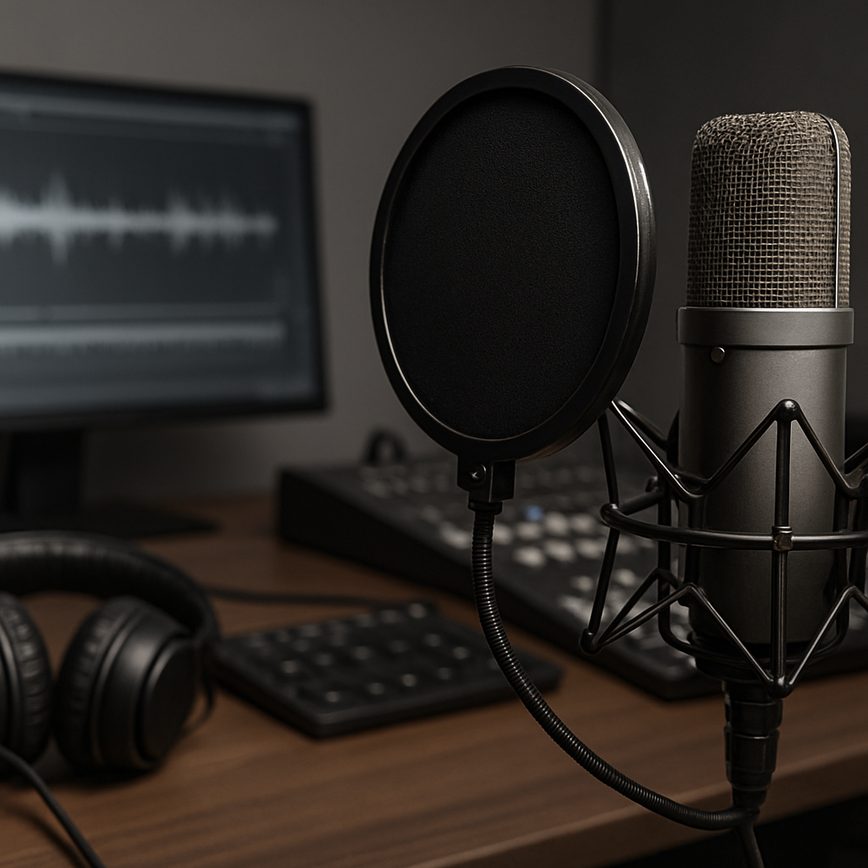
Introduction to Foley Techniques in Games
Foley techniques refer to the art of creating and recording everyday sound effects that are then integrated into multimedia productions, including games. In the context of game audio, Foley techniques are crucial for building a realistic and immersive auditory environment that significantly enhances the player’s experience. These techniques involve mimicking or recreating sounds like footsteps, clothing rustle, object handling, and environmental noises using various props and recording equipment.
Sound design in games goes beyond just background music or basic sound effects. Foley techniques add depth and texture to the game’s soundscape, making every action within the game world feel tangible and believable. For example, the distinct sound of a character’s footsteps on different surfaces—gravel, wood, or metal—can be captured using Foley methods, creating a rich sensory experience that draws players deeper into the game environment.
One of the primary reasons Foley techniques are so important in game audio is their contribution to player immersion. When sounds are closely synced with on-screen actions and are realistic in quality, they help bridge the gap between the virtual world and the player’s perception. This synchronization and attention to detail make the game world more convincing and emotionally engaging. Players are more likely to feel connected to the game characters and environment, ultimately enhancing their overall gaming experience.
Additionally, Foley techniques provide sound designers with creative control over the auditory landscape of a game. Instead of relying solely on pre-recorded sound libraries, Foley artists can tailor sounds to the unique needs of a game’s setting, style, and narrative. This customization helps in establishing a distinct audio identity for the game, which can set it apart from others in the competitive gaming market.
In summary, Foley techniques in game audio and sound design play an essential role in creating vibrant, immersive, and believable soundscapes. They enhance the realism of in-game actions and environments, thereby enriching player immersion and engagement. As gaming continues to evolve, the use of sophisticated Foley techniques remains a fundamental aspect of high-quality game production and storytelling.
History and Evolution of Foley in Gaming
The history of Foley art is deeply rooted in the world of film, where sound artists painstakingly created audio effects that brought scenes to life. This craft transitioned smoothly into gaming, where the demand for immersive audio experiences grew alongside advancements in technology. Early gaming sound effects were often simple and repetitive, but as the medium evolved, so did the complexity and nuance of Foley techniques applied in interactive environments.
In gaming, Foley has become an essential element of storytelling and gameplay immersion. Unlike linear film soundtracks, gaming sound evolution requires dynamic audio effects that adapt to player actions and environments in real-time. This shift has pushed Foley artists to explore innovative methods of capturing, designing, and integrating sounds that respond to unpredictable in-game scenarios.
Today, the art of Foley in gaming embraces a broad range of audio effects, from footsteps and weapon sounds to environmental cues and character interactions. With the growing complexity of interactive media, Foley artists use layered soundscapes and procedural audio to enhance realism and emotional impact. This ongoing evolution not only preserves the legacy of traditional Foley but also expands its boundaries, making it an indispensable tool in the creation of rich and engaging gaming experiences.
Why Foley Techniques Matter in Modern Games
The importance of Foley in modern games cannot be overstated when it comes to enhancing game immersion. Foley sounds add a layer of realism that pre-recorded or computer-generated audio often fails to capture. By recreating everyday sounds such as footsteps, clothing rustles, and environmental interactions, Foley artists help bring virtual worlds to life in ways that deeply engage players.
Realistic sound is a key element in gaming experiences; it informs players about their surroundings and influences their emotional response. For example, the subtle creak of a floorboard or the scuff of a boot on gravel can alert a player to hidden dangers or heighten the tension in a stealth mission. This direct connection between sound and action significantly enhances player engagement and immersion.
Moreover, the strategic use of Foley reinforces the believability of the game world, making it feel tangible and reactive to player input. When sounds match the visual cues perfectly, players are more likely to feel present within the game, improving their overall experience. Investing in quality Foley techniques ultimately elevates a game’s production value and offers players a richer, more captivating interactive journey.
Common Foley Techniques Used in Game Development
In the realm of game development, Foley techniques play a pivotal role in enriching the player’s immersive experience by adding realistic and dynamic sound effects. These sound effects are meticulously crafted using various game audio methods that simulate real-world noises to match the virtual environments and actions occurring within the game. Understanding common Foley techniques used in game development sheds light on how sound designers bring game worlds to life through audio.
One of the foundational Foley techniques is the use of object manipulation to recreate sounds. Sound artists often use everyday objects to mimic the noises of footsteps, weapon handling, or environmental interactions. For instance, walking on surfaces such as gravel or wood is replicated by tapping shoes on similar materials, generating authentic footstep sounds. This technique ensures that the sound effects are tailored specifically for the game’s environment, enhancing realism.
Layering is another essential method in Foley sound design, where multiple sound elements are combined to create a richer and more complex audio effect. This approach allows sound designers to simulate multifaceted sounds like the rustling of armor combined with the echo of footsteps, or the crackle of fire enhanced with subtle wind noises. Layering not only adds depth but also enables designers to adjust individual layers to match different in-game scenarios dynamically.
Recording foley sounds in a controlled studio environment is yet another common practice. This setting allows for capturing high-quality, clean audio without background noise. Sound designers can then manipulate these recordings using digital audio workstations (DAWs) to modify pitch, duration, and intensity, making the sound effects perfectly synchronized with in-game actions. This method ensures consistency and clarity within the game audio.
Real-time audio synthesis also integrates into Foley techniques, especially for games requiring non-traditional or futuristic sound effects. Instead of relying solely on recorded samples, designers use software synthesizers and audio plugins to generate unique sounds in response to player interactions. This technical approach expands the creative possibilities, offering diverse auditory experiences that recorded sounds alone might not achieve.
Lastly, the use of spatial audio methods enhances Foley sound effects by accurately positioning them within a 3D environment. Techniques such as panning, volume attenuation, and reverberation help simulate how sounds propagate in real spaces, making the game world feel alive and responsive. Effective spatial Foley sound design contributes significantly to player immersion and situational awareness during gameplay.
Overall, integrating these common Foley techniques into game development not only enriches the auditory landscape but also deepens player engagement by delivering believable and contextually appropriate sound effects. Mastering these game audio methods is crucial for developers aiming to produce immersive and memorable gaming experiences.
Creating Footstep Sounds
Designing authentic footstep sounds is crucial for immersive movement audio in game sound design. To capture and create realistic footstep sounds, follow these essential methods:
- Identify the surface type—whether it’s wood, gravel, concrete, grass, or metal—as footsteps sound vastly different depending on material.
- Record actual footsteps on various surfaces using high-quality microphones. Use different shoes or barefoot recordings to match character types, such as heavy boots for soldiers or light sneakers for runners.
- Use foley techniques in a controlled studio environment to mimic footsteps by tapping or scraping objects that replicate the texture of different surfaces. For example, tapping leather soles on wooden boards or crunching gravel with shoes helps create detailed sounds.
- Layer multiple footstep recordings to enhance realism—combine subtle shoe squeaks, fabric rustling, and impacts for a fuller movement audio experience.
- Process the sounds using EQ, reverb, and dynamic range compression to fit the in-game environment, making footsteps sound natural whether inside a cave or on an open field.
- Implement variation in playback speed and volume to avoid repetitive audio, ensuring each footstep feels dynamic and believable with the character’s pace and weight.
- Test footsteps with different character animations and game scenarios to ensure synchronization and authenticity in the overall game sound design.
Object Interaction and Impact Sounds
Creating realistic interaction sounds in games is essential for immersive gameplay. Foley artists often simulate these by manually reproducing the specific noises of objects colliding or interacting. For instance, to capture collision audio, artists might use everyday items like sticks hitting each other, or dropping various materials onto different surfaces to mimic impacts. This hands-on approach ensures that the sounds feel authentic and respond naturally to in-game physics.
Impact effects are crucial in emphasizing the force and material of the objects involved. When designing these, Foley professionals pay close attention to the texture and density of the interacting elements to select appropriate sources for recording. For example, a heavy metal collision will sound entirely different from a wooden tap or a soft fabric brush. Layering multiple recorded sounds often helps to create a richer, more dynamic effect, enhancing the player’s sense of presence within the game environment.
Additionally, timing is key to integrating these interaction sounds seamlessly. Foley artists synchronize the recorded effects precisely with the visual cues of the game, ensuring that collision audio triggers exactly when the on-screen interaction occurs. This attention to detail helps maintain immersion and reinforces the cause-and-effect relationship players expect, ultimately providing a more engaging and believable auditory experience.
By combining careful source selection, nuanced layering, and perfect synchronization, Foley techniques for interaction sounds, collision audio, and impact effects significantly enhance the realism and excitement of gameplay, elevating the overall player experience.
Ambient and Environmental Foley Sounds
Foley techniques play a crucial role in enhancing the ambient sounds and environmental audio within games, significantly enriching the overall game atmosphere. By carefully crafting and integrating Foley sounds that mimic natural elements such as weather conditions, rustling foliage, and subtle background noises, sound designers create immersive worlds that feel alive and dynamic. For instance, the gentle patter of rain, the crunch of leaves underfoot, or the distant murmur of wildlife all contribute layers of realism that draw players deeper into the game’s setting.
Environmental audio supported by Foley work helps convey the mood and tone of each scene, whether it’s a calm, serene forest or a stormy, tension-filled battlefield. These sounds not only add texture but also provide important audio cues, enhancing gameplay by signaling changes in the environment or alerting players to nearby activity. The subtle interplay of ambient sounds and Foley effects elevates the sensory experience, making the game space more believable and emotionally engaging.
Ultimately, the strategic use of ambient sounds through Foley techniques establishes a convincing soundscape that complements the visual elements and narrative of the game. This integration is essential for creating a captivating and cohesive game atmosphere where every auditory detail contributes to the player’s immersion and enjoyment.
Tips and Tools for Implementing Foley in Games
Incorporating Foley sounds effectively into games requires both creativity and the right tools. For game developers aiming to enhance their sound implementation, practical advice can streamline the process and elevate the player experience.
First and foremost, focus on capturing high-quality raw sounds. Using portable, high-fidelity recorders such as the Zoom H5 or Tascam DR-40X offers clear audio samples ideal for Foley work. These devices are user-friendly and widely recommended for game audio projects due to their excellent balance of price and performance.
Another essential aspect is organizing and cataloging your Foley sounds efficiently. Software like Soundly or Basehead provides robust libraries and tagging systems, making sound retrieval quick and intuitive. This streamlines the integration process, allowing developers to focus on creative implementation rather than searching for files.
Integrating Foley seamlessly into the game environment requires careful synchronization with game actions and events. Middleware tools such as FMOD and Wwise are industry standards that offer dynamic audio implementation capabilities. They allow for real-time manipulation of Foley sounds, enhancing immersion and responsiveness in gameplay.
Furthermore, consider the acoustics and context of each sound within the game world. Applying effects like reverb, equalization, and spatialization using DAWs (Digital Audio Workstations) such as Reaper or Audacity can tailor Foley sounds to the scene’s atmosphere. This attention to detail ensures that Foley is not just heard but felt in congruence with the visual elements.
For developers new to Foley, starting with libraries like Boom Library or Sonniss can provide a solid foundation with high-quality pre-made sounds. These can be customized as needed and are excellent for prototyping or supplementing recorded Foley.
In summary, successful Foley implementation in games hinges on combining the right recording equipment, organization tools, sound design software, and integration middleware. By following these game audio tips and utilizing recommended Foley tools, developers can create rich, dynamic soundscapes that significantly enhance player engagement and realism.
Best Software and Hardware for Foley Recording
To achieve high-quality Foley recording for games, selecting the right foley recording equipment, audio software, and sound libraries is essential. Here are some popular options widely used by professionals in the industry:
- Microphones: The Rode NTG series and Sennheiser MKH 416 are industry favorites for capturing clear and detailed Foley sounds.
- Audio Interfaces: The Focusrite Scarlett series and Universal Audio Apollo Twin provide reliable, low-latency recording and high fidelity audio input.
- Digital Audio Workstations (DAWs): Software like Avid Pro Tools, Adobe Audition, and Reaper are top choices for editing and mixing Foley sounds in game production.
- Sound Libraries: Comprehensive libraries such as Soundly, Boom Library, and Sonniss offer vast collections of pre-recorded Foley sounds that can enhance any game audio project.
- Field Recorders: Portable devices like the Zoom H6 and Tascam DR-100mkIII are excellent for capturing ambiences and Foley sounds outside the studio environment.
- Plug-ins and Effects: Tools such as Izotope RX and Waves plugins help clean up and refine Foley recordings to match game audio quality standards.
By combining high-quality foley recording equipment with robust audio software and rich sound libraries, game developers and sound designers can create immersive and realistic audio experiences for players.
Techniques for Syncing Foley Sounds in Interactive Gameplay
Syncing audio effectively in interactive Foley for games requires sophisticated techniques to ensure that sound effects respond naturally to player actions and environmental changes. One common approach is the use of event-driven audio systems, where Foley sounds are triggered dynamically based on specific gameplay events, such as footsteps on different surfaces or object interactions. This method allows sounds to adapt in real-time, enhancing immersion.
Another technique involves parameter-driven audio modulation, where variables like player velocity, surface texture, or proximity to objects influence the characteristics of the Foley sounds. For example, footstep sounds may vary in volume, pitch, or texture depending on whether the character is running on gravel, walking on wood, or slipping on ice. This fine-tuning ensures that the game audio integration feels seamless and realistic.
Despite these advances, developers face challenges such as latency issues, where delays in triggering sounds can break immersion. Additionally, ensuring consistent syncing when multiple layers of Foley sounds play simultaneously requires careful audio layering and prioritization. Environmental factors like occlusion and reverb must also be dynamically adjusted to match game settings. Overcoming these hurdles is crucial for delivering a compelling interactive Foley experience that enhances gameplay and player engagement.

I’ve been playing video games since I was a kid, and that passion naturally led me to explore how they’re made. I love diving into game design concepts and sharing insights with fellow enthusiasts. When I’m not testing new titles, I’m tinkering with Unity and learning new programming tricks.