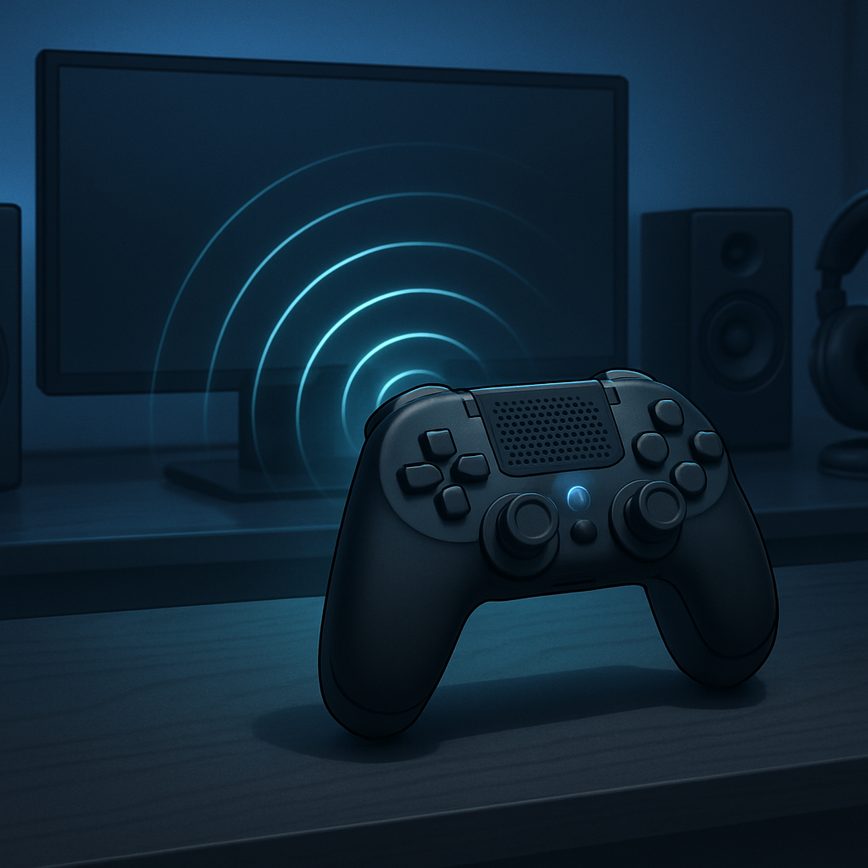
Understanding Sound Levels in Games
Sound levels play a crucial role in the overall gaming experience, influencing how players perceive and interact with the game environment. Properly balanced game audio ensures that no single sound overpowers others, allowing critical auditory cues to be heard clearly while maintaining an immersive atmosphere. Whether it’s the subtle rustling of leaves or the booming roar of an explosion, maintaining appropriate sound levels is essential for effective volume control within the game.
When sound levels are carefully managed, players can distinguish between background music, dialogue, sound effects, and ambient noises without distraction. This audio balance helps to convey important information, such as enemy movements or environmental hazards, enhancing situational awareness. Without this balance, a game might feel chaotic or confusing, detracting from the player’s engagement and immersion.
Volume control is another aspect closely linked to sound levels in games. It allows players to adjust different audio elements to their preference, whether they want louder music, clearer dialogue, or more pronounced sound effects. A well-implemented volume control system respects these preferences while preserving the intended audio balance, ensuring that the gaming experience remains satisfying for a diverse audience.
In summary, managing sound levels correctly is vital in game audio design. Balanced audio not only improves clarity and immersion but also enhances gameplay by delivering essential audio cues effectively. By focusing on sound levels and volume control, developers can create richer, more engaging gaming environments that resonate well with players, boosting both enjoyment and performance.
Effects of Imbalanced Audio
Audio imbalance in games can lead to a number of negative consequences that ultimately degrade the player experience. When sound levels are not properly balanced, a player may experience a loss of immersion due to sudden or unexpected changes in volume that break the seamless flow of the game environment. For example, if background music or ambient sounds overpower critical gameplay audio cues, players might miss important details, which diminishes the intended emotional impact and narrative engagement.
Moreover, prolonged exposure to unbalanced audio can cause audio fatigue, a state where players become mentally exhausted or irritated by inconsistent sound levels. This fatigue can reduce the time players are willing to engage with the game, as their auditory system becomes strained trying to filter through the distorted or overwhelming sounds. In extreme cases, sound distortion caused by improper mixing or volume spikes can even lead to discomfort or ear strain, further driving players away from continuous play.
Ensuring balanced sound levels is essential not only for preserving player immersion but also for maintaining a comfortable listening experience. Proper audio balancing keeps all sound elements—dialogue, effects, and music—at harmonious levels, preventing audio imbalance that distracts or frustrates players. Developers must prioritize careful sound design and mixing to avoid the pitfalls of distortion and imbalance that threaten the overall quality of the gaming experience.
Key Components of Game Audio
Balancing sound levels in games involves carefully adjusting several key audio elements to create an immersive and enjoyable experience. The primary components that require attention include music, sound effects, voiceovers, and ambient sounds.
Music often serves as the emotional backbone of a game, setting the tone and enhancing the atmosphere. It is crucial to balance its volume so that it supports gameplay without overpowering other important audio cues. Properly mixed music can boost immersion without distracting the player.
Sound effects contribute to the responsiveness and realism of the game world. These might include footsteps, weapon sounds, or interaction noises. Their levels must be carefully regulated to ensure they are noticeable yet blend naturally within the environment, complementing rather than clashing with the music or voiceovers.
Voiceovers deliver story elements, character dialogue, and instructions. Clear audibility is essential here, so voiceover levels should be adjusted to stand out when necessary, without overwhelming the music or sound effects. This balance helps maintain narrative clarity and player engagement.
Finally, ambient sounds create the backdrop of the game world, such as wind, crowds, or distant wildlife. These sounds add depth and realism but must be subtle enough to avoid masking more critical audio components. Harmonizing ambient sounds with other audio layers helps sustain the overall auditory balance.
Techniques for Balancing Sound Levels
Effective audio mixing is crucial in game development to create an immersive experience that keeps players engaged. One of the key aspects of this process is level balancing, which involves adjusting the volume of various sound elements to ensure clarity and harmony. There are several sound mixing techniques that developers can use to achieve a well-balanced audio environment.
First, dynamic range management plays a vital role. It involves controlling the difference between the loudest and quietest sounds. By carefully compressing or expanding the dynamic range, developers can prevent sudden spikes in volume that might distract or discomfort players, while still maintaining the emotional impact of sounds.
Second, prioritizing sound layers according to importance helps in clear audio communication. For example, dialogue or critical game cues should be more prominent, while ambient sounds and background music support the atmosphere without overpowering other elements. This hierarchy in level balancing ensures that players do not miss essential information.
Another effective technique is using automation in audio mixing. This involves setting volume changes to occur automatically at specific moments, such as lowering background music during dialogue or raising sound effects during action sequences. Automation allows for smoother transitions and adaptive soundscapes that respond to gameplay.
Additionally, consistent monitoring on multiple playback systems during the mixing process is essential. Since players will experience the game through various devices and environments, testing the sound balance on headphones, speakers, and even different rooms helps identify any inconsistencies in volume levels. This practice leads to more reliable balancing across all platforms.
Ultimately, mastering these techniques in audio mixing and level balancing will result in a game soundscape that is both engaging and comfortable for players. Maintaining attention to the dynamic range and applying thoughtful sound mixing techniques ensures that every element in the game contributes effectively to the overall experience.
Manual Audio Mixing Strategies
Manual mixing is a fundamental technique in audio engineering that involves hands-on control over individual audio elements to achieve a balanced and polished mix. One key method used in manual mixing is volume envelopes, which allow engineers to shape the dynamics of audio layers precisely over time. By adjusting these envelopes, you can emphasize or reduce specific sounds at critical moments, ensuring that dialogue, music, and sound effects do not clash but instead complement each other throughout the game experience.
Another important concept is gain staging, which involves setting optimal levels at each stage of the audio signal path. Proper gain staging prevents distortion or noise and ensures that every layer sits cleanly within the overall mix. This technique requires careful monitoring of input and output levels for all sounds, from raw assets to final outputs, to maintain clarity and punch.
Combining volume envelopes with disciplined gain staging provides a powerful manual mixing approach. It enables mixing engineers to respond dynamically to game contexts by tweaking audio layers in real-time, rather than relying solely on automated processes. Mastering these skills is essential for producing immersive and balanced soundscapes in games, highlighting the role of detailed manual audio mixing strategies in professional audio engineering.
Using Automation and Tools
Automation and dedicated audio tools play a crucial role in achieving balanced sound levels in games. By leveraging audio automation, sound designers can precisely control the dynamics of various audio elements, ensuring that no single sound overpowers others. This dynamic adjustment helps maintain clarity and immersion, adapting the audio mix in real time based on gameplay events or player interactions.
Sound plugins offer an extensive range of capabilities, from compression and equalization to spatial effects and limiting. These plugins integrate seamlessly within mixing software, allowing sound engineers to sculpt each audio track to fit perfectly within the overall soundscape. Utilizing these tools simplifies the complex task of balancing different sound layers such as dialogue, music, ambient sounds, and effects, providing a polished and professional sonic experience for players.
Mixing software equipped with automation features enables setting keyframes and envelopes that modulate volume, pan, and other audio parameters over time. This allows for smooth transitions between sound cues and ensures that important audio elements are highlighted at the right moments. Overall, the combination of audio automation, sound plugins, and advanced mixing software streamlines the workflow, making it easier to achieve a well-balanced, dynamic, and immersive game audio environment.
Dynamic Range and Compression
Dynamic range compression is an essential technique in game audio design to maintain consistent volume levels and prevent sudden loud sounds from overwhelming the player. By reducing the difference between the quietest and loudest sounds, dynamic range compression helps balance audio dynamics, ensuring that important sound effects and dialogue remain clear and audible even during intense gameplay moments. This technique works by attenuating the peaks of louder sounds while allowing softer sounds to remain perceptible, creating a more cohesive and immersive audio environment.
Limiting, a specific form of dynamic range compression, acts as a safeguard against audio clipping by setting a maximum threshold for the volume. When the audio signal exceeds this threshold, the limiter instantly reduces the gain to prevent distortion and preserve sound quality. This is particularly useful in games where sudden bursts of noise or explosions can disrupt the player’s experience. By applying limiting, developers can ensure these sounds remain impactful without becoming unpleasantly loud or causing audio artifacts.
Incorporating both dynamic range compression and limiting allows for precise control over audio dynamics, helping maintain a balanced and enjoyable soundscape. These techniques not only enhance the clarity of in-game sounds but also improve player comfort by avoiding abrupt changes in volume. Ultimately, mastering dynamic range compression and limiting is crucial for delivering a polished and professional audio experience in games.
Best Practices for Testing and Optimization
Testing and optimizing sound levels is a crucial step in game development to ensure consistent and immersive audio experiences. Audio testing involves playing through various game scenarios to evaluate how sound effects, music, and dialogue balance against each other and the overall game environment. Quality assurance teams should systematically verify that audio levels maintain clarity without overwhelming or underwhelming the player.
Start with establishing baseline sound levels for different audio categories such as ambient sounds, character voices, sound effects, and background music. Use sound meters and audio analysis tools to measure and standardize these levels across multiple devices and listening environments. This ensures the sound optimization process accounts for different speaker types, headphones, and volume settings that players might use.
Implement iterative testing cycles where sound levels are adjusted and re-evaluated. Use a combination of automated and manual audio tests: automated tests can trigger events to verify consistent audio playback, while manual reviews allow human testers to assess nuances such as abrupt volume spikes or inaudible audio elements. Keep detailed logs of test results to identify trends and recurrent issues.
Integrate sound optimization into the continuous development pipeline, allowing regular assessment as new game features and audio assets are added. Encourage collaboration between audio engineers, developers, and quality assurance teams to address sound issues promptly. When possible, gather player feedback through beta testing phases to understand real-world audio performance and preferences.
Finally, optimize performance by balancing audio quality with resource consumption. High-fidelity audio can enhance immersion but may require higher processing power and storage. Strive for the best compromise that maintains excellent sound quality without negatively impacting game performance. Consistent focus on audio testing, quality assurance, and sound optimization will lead to a polished and engaging game experience.
Playtesting Sound Balance
Playtesting is a crucial step in achieving effective sound balance within games. It involves engaging end users to gather their audio feedback, ensuring that the game’s sound levels contribute positively to the overall user experience. By incorporating playtesting early and throughout the development cycle, developers can identify any imbalances in audio that might detract from gameplay or immersion.
During playtesting sessions, players provide valuable insights about how they perceive audio elements in relation to other game sounds. This feedback helps pinpoint sounds that may be too loud, too quiet, or otherwise distracting. Such input is essential for refining sound effects, background music, and dialogue to create a seamless and enjoyable auditory environment.
Moreover, the iterative nature of playtesting allows developers to test different audio configurations with real users. This process highlights how changes in sound balance impact the overall user experience, fostering improvements that might not be evident in isolated sound design phases. Ultimately, playtesting ensures that audio supports gameplay mechanics and narrative immersion effectively.
In summary, playtesting is indispensable for validating audio decisions and achieving a harmonious sound balance that resonates with players. Developers who prioritize this feedback loop enhance the quality and accessibility of their games, making the user experience more engaging and enjoyable through well-balanced audio.
Adapting Audio for Different Devices
Ensuring balanced audio across various devices such as headphones, speakers, and consoles requires strategic audio adaptation and precise sound calibration. Each device has unique acoustic properties and frequency responses, so developers must tailor the sound output for optimal compatibility. One effective technique is to create multiple audio profiles that adjust equalization settings specifically for headphones, stereo speakers, and surround sound systems, allowing the game to dynamically switch based on detected output devices.
Another key method involves using real-time audio calibration tools that analyze the playback environment and adjust volumes and frequency balance to maintain clarity and prevent distortion. This ensures that critical sound cues are neither lost on small speakers nor overwhelming on powerful consoles. Additionally, leveraging middleware solutions that support device-specific audio output can streamline the process, automatically adapting sounds for each platform without manual intervention.
Finally, extensive testing on target devices is crucial. By gathering feedback from headphone users and those using different speaker setups or consoles, developers can fine-tune the audio balance to enhance immersion and gameplay experience. With these techniques, audio adaptation ensures consistent sound quality and compatibility across all gaming devices, supporting a richer and more engaging player experience.

I’ve been playing video games since I was a kid, and that passion naturally led me to explore how they’re made. I love diving into game design concepts and sharing insights with fellow enthusiasts. When I’m not testing new titles, I’m tinkering with Unity and learning new programming tricks.