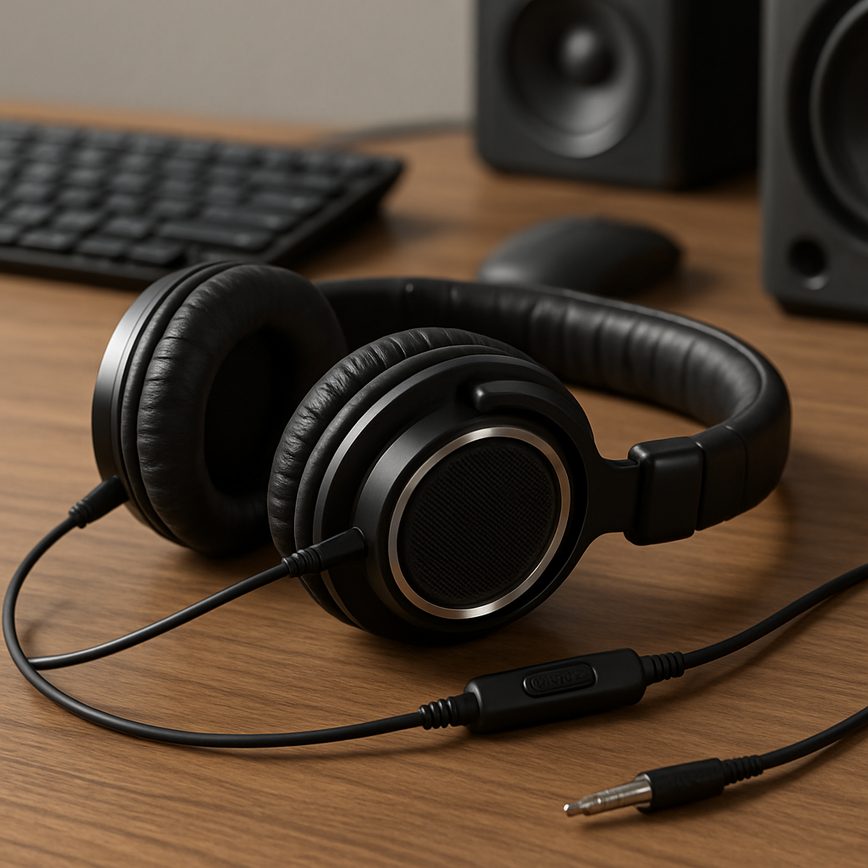
Overview of Audio Options for Players
When it comes to enhancing the immersive experience of any game, audio options play a crucial role. Players today expect not just high-quality visuals but also a finely tuned sound environment tailored to their preferences and needs. Audio options within player settings allow users to customize various elements of game audio, improving both enjoyment and gameplay effectiveness.
Among the most common audio options available are volume controls that let players independently adjust music, sound effects, dialogue, and ambient noise levels. This customization is key to creating a balanced soundscape that suits individual tastes or specific gaming environments. For example, some players may prefer louder music for an adrenaline boost, while others might lower it to better hear in-game communications or subtle sound cues.
Sound customization extends beyond volume controls. Many games offer options to toggle specific audio elements on or off, such as subtitles for dialogue, surround sound settings, or spatial audio enhancements that create a more immersive and directional sound experience. These settings can significantly impact gameplay by helping players locate enemies, identify key events, or simply enjoy a richer atmosphere.
Customizing game audio also improves accessibility. Players with hearing impairments, for instance, can adjust audio settings to better differentiate sounds or enable visual aids like subtitles. This ensures that all players can enjoy the game comfortably and effectively. Moreover, sound settings can prevent fatigue during long play sessions by reducing overly loud or distracting audio elements.
In summary, integrating a comprehensive range of audio options in player settings is essential for enhancing the overall game audio experience. By allowing players to tailor sound elements to their preferences and needs, developers not only boost engagement but also foster inclusivity and accessibility within their games.
Types of Audio Settings
In gaming, audio types such as background music, sound effects, voice chat, and ambient sounds play crucial roles in enhancing the player experience. Background music typically sets the tone and atmosphere of the game, creating an immersive environment that draws players deeper into the storyline and world. Players often have control over the music volume to balance it with other sound settings to suit their preferences.
Sound effects include all the in-game sounds triggered by actions like footsteps, weapon fires, or environmental interactions. These effects are essential for feedback and realism, helping players respond quickly and accurately to events. Adjusting the effects volume allows players to emphasize or downplay these sounds for better gameplay focus.
Voice chat is another key audio type, enabling communication between players in multiplayer games. Clear voice chat enhances teamwork and strategy, and many games offer settings to mute or adjust the voice chat volume independently from other sounds.
Ambient sounds add depth by simulating the natural environment around the player, like wind blowing, birds chirping, or distant city noises. These sounds improve immersion and situational awareness. Typically, these settings are adjustable to allow players to create a comfortable balance between immersion and clarity.
Benefits of Customizing Audio Settings
Customizing audio settings offers numerous audio benefits that can significantly enhance the gaming experience. By tailoring sound elements to individual preferences, players achieve a level of personalized sound that immerses them deeper into the game world. This customization allows players to amplify crucial game sounds such as footsteps or dialogue, which boosts situational awareness and creates a more engaging and realistic environment.
Moreover, personalized audio settings help reduce distractions that might otherwise interrupt gameplay. Players can lower or mute background music or sound effects that are less relevant to their current goals, enabling greater focus and concentration. This control is especially beneficial when playing complex games that require attention to multiple audio cues for strategy and reaction.
Another important advantage of custom audio is its ability to accommodate various hearing needs and preferences. Gamers with hearing impairments or sensitivities can adjust volume levels and sound frequencies to ensure clarity and comfort. This inclusivity makes games more accessible and enjoyable for a diverse range of players, emphasizing the importance of flexible audio options in modern gaming.
In summary, the benefits of customizing audio are clear: it enhances player immersion, reduces unwanted distractions, and supports individual hearing requirements. By offering a personalized sound experience, games become more engaging, accessible, and ultimately more enjoyable for everyone.
Popular Audio Technologies in Gaming
In the world of video games, audio technology plays a crucial role in creating immersive experiences for players. Advanced sound techniques such as 3D audio, surround sound, and spatial audio contribute significantly to the depth and realism of game environments, enhancing player engagement and making gameplay more captivating.
One of the key technologies used in modern gaming is 3D audio. This technique allows sounds to be perceived as coming from various directions and distances within a three-dimensional space. Unlike traditional stereo sound, 3D audio can simulate the natural way humans hear sounds in the real world, including height, width, and depth cues. This capability enables players to detect the location of in-game objects or characters more accurately, which can be especially advantageous in competitive or exploration-based games.
Surround sound technology is another widely adopted audio approach in gaming. It uses multiple audio channels and speakers positioned around the listener to envelop them in sound from all directions. This immersive audio setup drastically improves the player’s sense of being inside the game world by replicating real-world acoustic environments. Many gaming setups support surround sound configurations such as 5.1 or 7.1 speaker systems, providing rich and detailed audio landscapes that heighten tension and excitement during gameplay.
Spatial audio, which often overlaps with 3D audio, refers to the use of software algorithms and hardware enhancements to simulate a realistic sound environment around the player. Spatial audio techniques allow sound sources to be perceived with precise positional information, including elevation and movement, creating an almost lifelike auditory experience. This technology enhances player immersion by making it easier to identify critical audio cues like footsteps, environmental noises, or distant gunfire, directly influencing gameplay decisions and reactions.
Game developers continuously harness these audio technologies to push the boundaries of interactive sound design. By embedding sophisticated audio systems, games deliver more authentic experiences that not only entertain but also engage players at a sensory level. Whether it’s through the enveloping effect of surround sound, the directional cues of 3D audio, or the lifelike sensations provided by spatial audio, these technologies continue to revolutionize the way players experience virtual worlds.
3D Audio and Spatial Sound
3D audio and spatial sound are revolutionary advancements in gaming audio technology that elevate the immersive experience for players. These systems simulate how sound behaves in a three-dimensional space, allowing gamers to perceive audio from all directions—above, below, behind, and around them. This enhancement in sound localization is known as positional audio, and it fundamentally improves a player’s ability to identify the exact origin of sounds within the game environment.
By leveraging 3D audio, games create a more realistic and engaging atmosphere where players can instinctively react to environmental cues. For instance, footsteps approaching from behind or a distant explosion can be pinpointed accurately, enabling strategic decision-making and heightened situational awareness. This feature is especially crucial in competitive gaming, where directional hearing can mean the difference between victory and defeat.
Spatial sound systems work by processing audio signals with advanced algorithms that mimic the way human ears perceive sound waves. This technology considers the shape of the listener’s head and ears to create audio effects that reflect real-world acoustics. As a result, players experience immersive audio that goes beyond simple stereo sound, providing a fully enveloping soundscape.
The advantages of 3D audio and spatial sound extend beyond just entertainment by enhancing accessibility for gamers with hearing impairments and improving the overall emotional impact of the gaming experience. Incorporating these technologies allows developers to craft richer, more dynamic worlds and gives players a distinct edge through improved directional hearing capabilities.
Surround Sound Systems
Surround sound systems are designed to immerse gamers in a multi-dimensional audio environment by using multiple speakers placed around the listener. This setup enhances the gaming experience by delivering multi-channel audio, where sounds can come from different directions, creating a realistic soundstage. This allows players to hear footsteps behind them, distant gunfire to the side, or ambient noises above and below, which adds to both immersion and tactical advantage.
- Common configurations: Typical surround sound setups for gaming include 5.1 and 7.1 systems. The “5” or “7” refers to the number of speaker channels, and the “.1” represents the subwoofer channel for bass. A 5.1 system includes front left and right speakers, a center channel, rear left and right speakers, plus a subwoofer. A 7.1 system adds two additional side speakers for even greater sound depth.
- Gaming speakers and placement: Proper speaker placement is critical in surround sound setups. Speakers are usually positioned at ear level around the player, ensuring sounds emanate from accurate spatial locations. Gaming speakers designed for these systems often feature precise audio tuning tailored for game sound effects, dialogues, and music.
- Audio setups for realism: Surround sound systems contribute to a more realistic soundstage by simulating natural acoustics and directional audio cues. This creates a sense of space and distance, making in-game environments feel more authentic and immersive. The layered audio experience also helps gamers better pinpoint enemy movements and environmental interactions.
- Benefits for gamers: Using surround sound can improve gameplay by enhancing spatial awareness, improving reaction times, and providing a deeper emotional connection to the game world through superior audio fidelity.
Tips for Optimizing Audio Settings
Optimizing your game audio setup can significantly enhance your gaming experience by delivering the perfect balance between clarity, immersion, and performance. One of the first steps in audio optimization is to adjust your sound configuration according to your hardware and environment. Begin by setting your audio output device correctly, whether it’s high-quality headphones, surround sound speakers, or stereo earbuds. This foundation ensures that the sound you hear is as intended by the game developers.
Next, explore the in-game audio settings. Many modern games offer customizable sound options such as master volume, music volume, sound effects, voice chat, and environmental sounds. Fine-tuning these levels helps you prioritize the most important audio cues. For example, reducing music volume while boosting sound effects can improve your ability to hear subtle in-game sounds like footsteps or distant gunfire, which is crucial for competitive gameplay.
To further enhance clarity and immersion, consider enabling features like 3D audio or spatial sound if your game and hardware support them. These technologies simulate a three-dimensional sound environment, allowing you to pinpoint the direction of sounds accurately. This not only boosts immersion but also aids gameplay by providing important spatial information.
Another useful tip is to update your audio drivers and game software regularly. Outdated drivers can cause audio lag, distortion, or crashes, negatively impacting your overall game audio setup. Keeping your system up to date ensures you benefit from the latest audio improvements and bug fixes, contributing to better sound performance.
Finally, don’t forget to test your settings in various game scenarios. Sometimes, you may need to adjust audio options depending on whether you’re exploring a quiet environment or engaged in intense battles. Experiment with different configurations to find the optimal sound balance that maximizes clarity without compromising immersion or game performance.
By applying these audio tips and regularly refining your sound configuration, you can create a tailored audio experience that enhances both your enjoyment and competitive edge in games. Remember, effective audio optimization is key to hearing the game world as it was designed, providing you with both an immersive and strategically advantageous setup.
Balancing Music and Sound Effects
Achieving the right audio balance is crucial to enhancing your gaming experience. When adjusting music volume and sound effects, it’s important to ensure that neither element overpowers the other. Music sets the mood and atmosphere, while sound effects deliver critical in-game cues. A well-balanced game sound keeps players immersed without causing distraction or confusion.
Start by setting your music volume to a comfortable level where it complements the gameplay but remains subtle. Then, increase the sound effects volume so that important actions—like footsteps, alerts, or item pickups—are clearly audible and draw your attention. Avoid setting the music too loud, as it can drown out these vital audio cues and diminish your responsiveness.
Many games offer separate sliders for music and sound effects in their audio settings. Take advantage of these controls to experiment with different mixes until you find the perfect audio balance that suits your preferences. Remember, the goal is for music and sound effects to work together harmoniously, making the gaming environment engaging and intuitive.
Regularly revisiting and fine-tuning these settings can greatly improve your overall experience. Whether you prefer immersive ambient music or crisp, detailed sound effects, balancing these elements effectively allows you to enjoy the full spectrum of game sound without compromise.
Adjusting Voice Chat for Communication
To enhance in-game communication clarity, it’s essential to properly configure your voice chat settings. Start by adjusting the audio levels within the game chat to ensure your voice is clear and audible to teammates without overwhelming background sounds. Most games provide separate sliders for microphone input and speaker output—balance these to prevent distortion or muffled audio.
Choosing the right audio devices plays a critical role in maintaining voice clarity. Use a quality headset with a built-in microphone, as it reduces ambient noise and provides better sound isolation. Avoid using built-in laptop microphones or speakers, as they tend to pick up external noise and deliver poorer audio quality in game chat.
Explore your communication settings for options like noise suppression, echo cancellation, or automatic gain control. Activating these features can significantly improve sound clarity by filtering out background sounds and balancing volume levels. If you encounter persistent audio issues, test your microphone before gameplay and update drivers to ensure compatibility.
Finally, communicate with your team about preferred voice chat volumes and devices. Establishing common standards helps everyone stay heard and reduces misunderstanding during critical game moments. Adjusting voice chat settings thoughtfully ensures a smoother, more coordinated multiplayer experience.

I’ve been playing video games since I was a kid, and that passion naturally led me to explore how they’re made. I love diving into game design concepts and sharing insights with fellow enthusiasts. When I’m not testing new titles, I’m tinkering with Unity and learning new programming tricks.