Achieving seamless cross-platform performance—from high-end PCs to budget devices—remains a core challenge in modern Game development pipelines. When you factor in the complexities of network latency, input lag, and hardware variability, the task of achieving smooth cross-platform development becomes even more intricate. The right strategies can turn what feels like an impossible balancing act into a manageable workflow, ensuring your game feels cohesive whether it’s played on a 144Hz monitor or a mid-range console. The key lies in understanding how to abstract away platform-specific quirks while still delivering the performance and responsiveness players demand.
The Core Challenge of Cross-Platform Development
At its heart, cross-platform development for multiplayer games isn’t just about writing code that compiles across different systems, it’s about creating an experience where players on varying hardware feel like they’re sharing the same virtual space. The biggest hurdle isn’t the engines or frameworks you use, but the underlying assumptions you make about input, rendering, and networking. For example, a game optimized for a 60Hz refresh rate on a console might feel sluggish on a 144Hz PC if the input buffering isn’t adjusted. Similarly, a physics engine tuned for a high-end GPU might crash on a low-end device if memory allocation isn’t dynamically managed. The solution often involves layering abstraction over hardware-specific details, but this abstraction must be thin enough to avoid introducing new bottlenecks.
Take Wardogs as an example, a game that faced real-time challenges with cheating and player behavior across platforms. While not directly related to cross-platform development, the lesson here is that multiplayer games require a level of consistency that transcends hardware. If one player’s actions feel delayed or unpredictable due to platform-specific optimizations, it breaks the illusion of shared reality. This is where frameworks like Unity’s Netcode or Unreal Engine’s replication system become critical, they provide a standardized way to handle synchronization, but developers still need to fine-tune how these systems interact with platform-specific quirks.
Networking: The Silent Killer of Cross-Platform Smoothness
Networking is where cross-platform development often stumbles, and it’s not just about choosing UDP over TCP or vice versa. The real issue lies in how you handle packet loss, desynchronization, and latency compensation across devices with wildly different processing power. A PC with a 3GHz CPU can afford to run a more aggressive interpolation algorithm than a smartphone running the same game, yet both players should perceive the world in a similar way. The solution involves implementing adaptive networking layers that adjust data transmission rates based on platform capabilities. For instance, a game like Horizon Steel Frontiers might use a higher update frequency for PC players while throttling back on mobile to maintain smoothness without overwhelming the device.
One common pitfall is assuming all players will have stable connections. In reality, mobile players often face fluctuating bandwidth and latency due to cellular networks, while console players might experience spikes during peak hours. To mitigate this, developers use techniques like client-side prediction, where the client extrapolates the state of the game based on recent inputs, and server reconciliation, where the server corrects any discrepancies. The trick is balancing these systems so that players on slower connections don’t feel like they’re playing in slow motion while others zip past them. Frameworks like Photon Engine or Mirror (for Unity) help abstract some of this complexity, but the real work happens in the fine-tuning of these systems for each platform.
Input Handling: Where Platforms Diverge Most
Input is where cross-platform development gets particularly messy, especially when you’re dealing with a mix of keyboard/mouse, gamepads, and touch controls. A gamepad’s dead zone might be set to 0.1 on one platform and 0.2 on another, leading to inconsistent movement or aiming. Similarly, touchscreens introduce entirely different challenges, swipe gestures, pinch-to-zoom, and on-screen buttons require entirely different input handling than traditional controllers. The solution isn’t just to support all input types but to normalize them so that player actions feel identical across platforms. For example, a game like Horizon Zero Dawn uses a controller-first approach but includes touch controls for mobile, ensuring that the core gameplay loop remains intact regardless of input method.
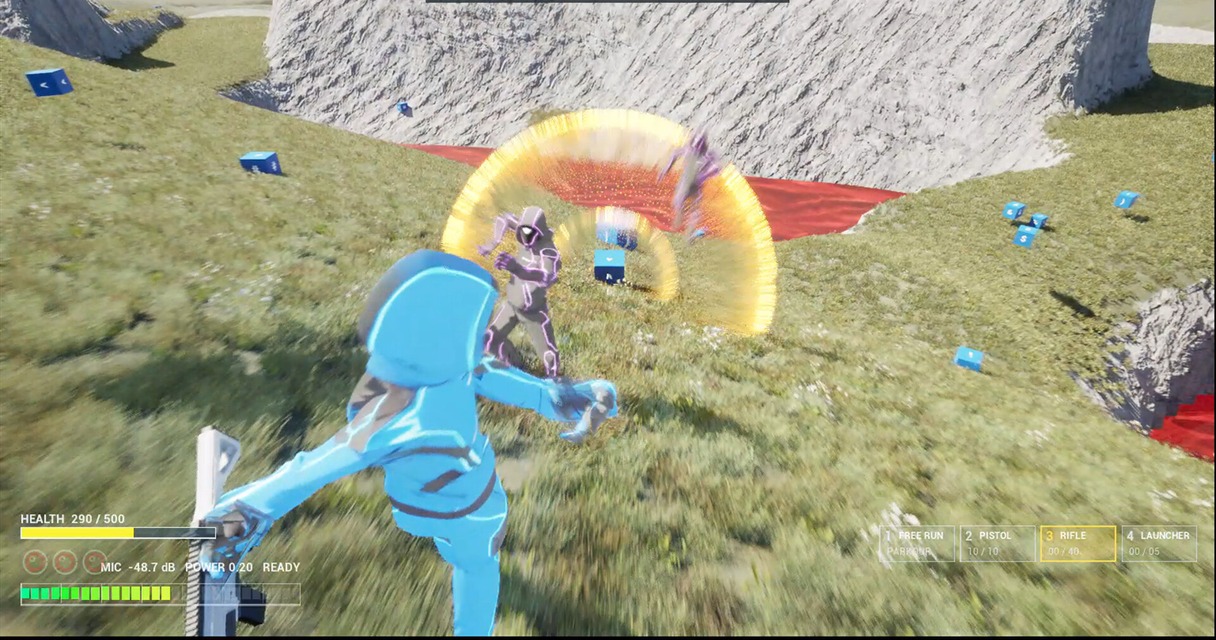
Photon Engine: Connection & Basic Movement | How to Make a Multiplayer Game With Fusion 2 – Part 1
The key here is input buffering and dead zone calibration. A game optimized for a high-refresh-rate monitor might need to buffer input slightly to account for the time it takes for the system to process and render actions, while a lower-refresh-rate device might need less buffering to avoid input lag. Developers often use platform-specific input profiles to adjust these settings dynamically. For instance, Unity’s Input System allows you to define different input actions for each platform, but the real challenge is ensuring that the underlying physics and movement feel consistent. If a player on a PC can move at 30 meters per second while a player on a smartphone moves at 25, the illusion of shared space breaks down.
Rendering and Performance: The Great Equalizer
Rendering is where the hardware divide becomes most apparent, and it’s not just about graphics quality, it’s about ensuring that the game runs at a consistent frame rate across all platforms. A game that renders at 60 FPS on a high-end PC might drop to 30 FPS on a mid-range console, creating a noticeable stutter that breaks immersion. The solution involves dynamic resolution scaling, LOD (Level of Detail) adjustments, and adaptive quality settings that prioritize performance over visual fidelity when needed. Games like Horizon Steel Frontiers leverage advanced Pixel Shaders to dynamically adjust visual quality based on hardware, maintaining performance without losing detail.
The challenge here is balancing visuals with performance without making the game feel like two different experiences. Techniques like tessellation, shadow quality, and post-processing effects can be dynamically reduced or enhanced based on the platform. Some developers also use a tiered approach, where certain effects are disabled entirely on lower-end devices while others are scaled back. The goal is to maintain a sense of cohesion, players shouldn’t feel like they’re playing a different game just because they’re on a different platform. Frameworks like Unreal Engine’s Dynamic Resolution and Unity’s Burst Compiler help optimize rendering, but the real work is in testing and tweaking these settings for each platform individually.
State Synchronization: Keeping Players in Sync
State synchronization is the unsung hero of cross-platform multiplayer development, and it’s where many games fail to deliver a seamless experience. If the server sends updates at a fixed rate, a high-end PC might receive more frequent updates than a smartphone, leading to desynchronization. The solution is to implement a variable-rate update system where the server adjusts the frequency of state updates based on the client’s capabilities. For example, a game like Wardogs might send more frequent updates to PC players while throttling back on mobile to prevent overwhelming the network. This ensures that all players see the game world update at a similar rate, even if their hardware differs.

The tricky part is handling partial updates, sending only the changes needed rather than the entire state of the game. This reduces bandwidth usage and minimizes latency, but it requires careful implementation to avoid desynchronization. Some games use delta compression to send only the differences between states, while others use interpolation to fill in gaps when updates are delayed. The key is to ensure that the system is robust enough to handle network fluctuations without breaking the game. Frameworks like Mirror (for Unity) and Netcode (for Unity) provide tools for this, but the real work is in testing and refining the synchronization logic for each platform.
Testing Across Platforms: The Forgotten Step
Testing is where most cross-platform games fall apart, yet it’s often the most overlooked step in development. Simply running the game on different devices isn’t enough, you need to test for input lag, network stability, and performance consistency under real-world conditions. For example, a game might run smoothly in the lab but stutter when played over a crowded Wi-Fi network. The solution is to conduct extensive real-world testing, including stress tests on different network conditions and hardware configurations. Developers often use tools like Steam’s Vanguard or Epic’s Unreal Engine’s Network Profiler to monitor performance in real time, but the real insight comes from observing how players interact with the game across platforms.
One common mistake is assuming that testing on a single high-end device will reveal all issues. In reality, bugs often surface only when the game is played on lower-end hardware or over unstable networks. For instance, a game might appear to have no lag in a controlled environment but feel sluggish when played over a mobile data connection. To catch these issues early, developers should simulate different network conditions and hardware profiles during testing. Tools like WANem (Windows Network Emulator) allow you to mimic real-world network conditions, while hardware profiling tools help identify performance bottlenecks. The goal is to catch these issues before launch, when they can be costly to fix.

I’ve been playing video games since I was a kid, and that passion naturally led me to explore how they’re made. I love diving into game design concepts and sharing insights with fellow enthusiasts. When I’m not testing new titles, I’m tinkering with Unity and learning new programming tricks.